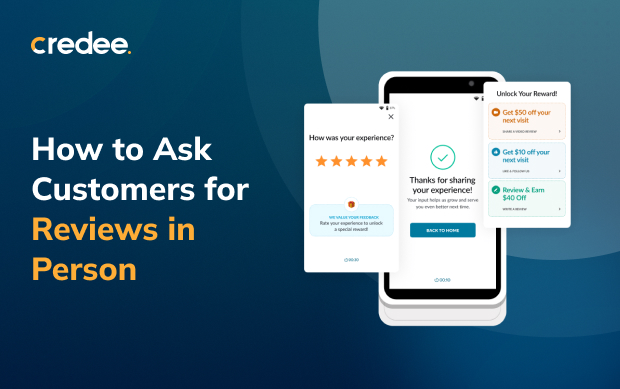
Most customers will leave a review if you ask them. According to BrightLocal’s 2026 Local Consumer Review Survey, 83% of people who were asked for a review went on to write one.
The trouble is, many businesses never get round to asking, or only ask when someone happens to remember. Asking in person solves that. The visit has only just happened, the customer has just spoken to your team, and the request comes from a real person, not an automated email.
In this guide, you’ll learn how to ask customers for reviews in person: when to ask, what to say, and how to share your review link and QR code.
Why Reviews Are Worth Asking For?
For its February 2026 report, BrightLocal surveyed 1,002 US consumers. Here’s what they found:
- 97% of consumers read reviews when choosing a local business.
- 74% look for reviews from the last three months. Reviews go stale fast, so that a one-off push won’t last.
- 45% left a Google review in the past year, which makes Google the most popular place to write one.
- 78% were asked for feedback by a business in the past year. People are used to being asked, so that it won’t feel strange.
Put simply, people read reviews; they want recent ones, and they’ll write them if you ask. Businesses with the most reviews usually ask every customer, every time.
How to Ask Customers for Reviews: 5 Steps
1. Ask Every Customer at the Same Moment
The simplest way to stay consistent is to ask at the same point in every visit. Choose whichever fits your business best:
- At checkout
- Right after payment
- When you hand over the finished job
Then ask everyone, not just the customers who look happy.
2. Ask for Reviews Using a Brief Script
You don’t need a speech. Two sentences will do. Here are three scripts you can put into your own words:
➮ At the counter: “Thanks for coming in today. If you get a minute later, a Google review really helps a business like ours. I’ll text you the link.”
➮ When you finish a job: “Before I head off, would you mind sharing how today went in a Google review? Here’s a card with the QR code.”
➮ For a regular customer: “You’ve been coming to us for a while now. Would you mind sharing your experience in a review? It helps new people find us.”
When you ask, try not to:
- Ask for five stars or a “good” review.
- Ask the customer to mention a staff member by name.
- Suggest what they should write.
3. Make It Easy with a Google Review Link and QR Code
Even when a customer says yes, they still need a quick way to do it. Your Google review link and QR code take them straight to the review form.
Here’s how to find them in your Google Business Profile:
- Open your Business Profile.
- Select Read reviews, then Get more reviews.
- Copy the link, or right-click the QR code to save the image
Then put them where customers will actually see them:
- On the counter or at reception
- On receipts and invoices
- In thank-you emails and text messages
- On a small card your team can hand out after a job
4. Follow Up the Same Day
“Sure, I’ll do it” is easy to say at the counter and easy to forget on the drive home. Send the review link by text or email later that day, while the visit is still on their mind.
5. Reply to Every Review
Replying tells customers you actually read what they write. It also shows anyone browsing your reviews how you treat people.
➧ Positive reviews: Say thank you and mention the service they had. Leave out any personal details.
➧ Negative reviews: Keep calm, offer to put things right, and take the conversation offline.
How to Ask for a Video Review
A written review tells people what happened. A video lets them see it. Watching a real customer talk about their visit in their own words builds a kind of trust that a few lines of text can’t match.
Recording a video is more effort than tapping a star rating, so not everyone will agree. Pick the right customers and the right moment.
When to ask for a video review
➮ After a result people can see. A new smile, a fresh haircut, a finished repair, or a newly done-up room is easy to show off and easy to talk about.
➮ When a customer praises you out loud. If they’re telling you how happy they are, ask if they’d say the same thing on camera.
➮ With your regulars. People who already know your team tend to feel more relaxed recording a quick video.
How to make a video review easy
➧ Keep it short. Ask for around 30 seconds, not a full testimonial.
➧ Give them two simple prompts. What brought them in, and how it went.
➧ Let them pick the moment. Some customers are happy to record at checkout; others would rather do it at home on their own phone.
➧ Don’t put words in their mouth. Their own words sound real. Rehearsed lines don’t.
➧ Get permission first. Check with the customer before you post their video on your website or social media.
Here’s an easy way to ask:
“You said you love how it turned out. Would you mind recording a quick 30-second video about your visit? Just say what brought you in and how it went.”
The Credee Terminal builds this into checkout. Once a payment goes through, customers can leave a short video review, which gives people who’d rather talk than type an easy way to share their experience.
Common Mistakes When Asking for Reviews
1. Asking too late
Wait a few days or weeks, and the details have faded, along with the customer’s enthusiasm. Ask at the end of the visit while it’s still fresh, and send the link that same day.
2. Sending several reminders
One follow-up is a friendly nudge. Three or four feel like pressure, and an irritated customer is less likely to leave a review. If one follow-up gets no response, let it go.
3. Sharing a link that’s hard to use
A long, messy web address in a text message can look like spam, and it’s fiddly to tap on a phone. Use the short review link from your Google Business Profile, and the QR code when you’re talking to customers in person. Test both on your own phone first to make sure they open the review form.
4. Relying on someone to remember
When nobody’s in charge of review requests, they happen on quiet days and get forgotten on busy ones, and busy days are when you see the most customers. Make the request a set part of checkout. Decide who does it, add it to your checkout routine, or let your payment terminal send it for you.
How to Get More Reviews Without Extra Effort?
Asking for a review is easy. Remembering to do it every single time is the hard part. When things get hectic, review requests are usually the first thing to slip.
Checkout is the natural place to ask, and the Credee Terminal makes the request part of the payment itself:
- As soon as the payment goes through, the screen invites the customer to leave a star rating and review, or a short video review.
- If they skip it, Credee follows up by email, so your team doesn’t have to remember.
- Credee can also text the customer a review request as soon as the payment is complete.
Every paying customer is asked the same way at the same moment, so nobody feels singled out, and anyone can skip it. Your team can still add a friendly word at the counter while the Terminal looks after the rest.
Turn Every Payment into Growth
Build loyalty, collect reviews, and grow referrals effortlessly with Credee Terminal.
Explore Credee Terminal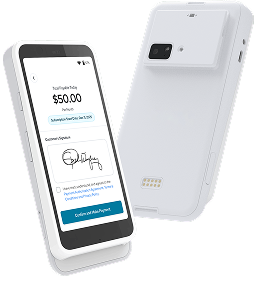
Check Your Review Numbers Every Month
A quick check once a month shows you whether your efforts are paying off. Keep an eye on four numbers:
- New reviews on each platform
- Your average star rating
- The share of customers who got a review request
- The share of reviews you replied to
Look at these for the business as a whole, not for each person on your team, so nobody feels they’ve got a review target to hit. Then compare each month with your own last three months, not with other businesses.
Frequently Asked Questions
Q. When is the best time to ask a customer for a review in person?
At the end of the visit, while it’s still fresh in their mind. For most businesses, that means at checkout, just after payment, or when you hand over the finished job.
Q. Should I only ask customers who look happy?
No, ask everyone. If you only ask when someone seems pleased, you’ll end up forgetting half the time. Make it a normal part of every visit and the reviews will keep coming in.
Q. What should I say when asking for a review?
Two sentences are enough. Thank them for coming in, tell them an honest review would really help, and let them know how they’ll get the link: by text, on a QR code card, or on the payment screen.
Q. How do I get my Google review link and QR code?
Open your Google Business Profile and go to Read reviews, then Get more reviews. You can copy the link there or save the QR code image.
Q. How many times should I follow up if a customer doesn’t leave a review?
Just once, on the same day, by text or email. More than that starts to feel pushy. If they don’t reply, leave it there.
Q. Who should I ask for a video review?
Customers with a result they can show, like a new smile, a fresh haircut, a finished repair, or a newly done-up room. Customers who praise you out loud are good candidates too, and so are regulars who already feel at ease with your team.
Q. How long should a video review be?
About 30 seconds is plenty. Rather than handing them a script, give them two easy prompts: what brought them in, and how the visit went.
Q. How can I get reviews regularly without adding to my team’s workload?
Make the review request part of checkout. The Credee Terminal asks for a written or video review on the payment screen. If the customer skips it, Credee follows up by email, and it can also send a review request by text once the payment goes through.


